The following games have been added to the list of games that have achievements:
- Buccaneer: The Pursuit of Infamy
- Defense Grid: The Awakening
- Hinterland
- Mosby’s Confederacy
The following games have been added to the list of games that have achievements:
A week ago Grand Theft Auto IV came out for the PC, since then I’ve been trying to poke about at things, the first thing I saw that I wanted to try was to edit the save files.
I found the save files nestled in C:\Users\Rick\AppData\Local\Rockstar Games\GTAIV\savegames. You’ll likely find several subdirectories there, following the format of user_<16 byte Live user ID>. Under one of these directories you find files following the scheme of SGTA4<index>.
Taking a look at these saves, the data is unencrypted and in a very obvious format. Unfortunately you cannot directly edit them, GTAIV makes use of some hashing features built into xlive.dll (Games for Windows – Live).
There is a 360 (coincidence?) byte footer to each GTAIV save file — this makes up two blocks. A 296 byte block, and a 64 byte block. I’m not sure about the 296 byte block, but the 64 bit block is likely a hash of the save data.
I set an obvious way to try and edit the save data: change the amount of money you have.
Looking at the structure of the save data, the amount of cash you have is in the second block of data in the save (PlayerInfo), there appear to be two values for money — one is probably total cash while the other is current cash. They are 0x1EA and 0x1F2 bytes from the start of the save file (due to the structure of the file, these offsets are unlikely to change).
Out of all the attempts I made in trying to edit a save file — the one I ended up with was pretty much a massive hack. xlive.dll has some protections enabled that make tampering with a running game a bad idea (crashing, not functioning properly, among other things). I dug deep enough to discover that I could essentially break a part of xlive.dll to make it possible to modify GTAIV code. When GTAIV calls xlive.dll to do something (in this instance, hash a save file), xlive.dll does a check on the calling process to make sure it hasn’t been modified. The offending function is called XLivepVerifyAddress (xlive.dll+0xA6354, according to xlive.pdb ;-).
I broke this function (by making it always return 0), hooked the function that hashes save data (GTAIV.exe+0x18C180), a pointer to the save data being the first argument.
Starting the game with my changes (done at runtime, no modification to files of course, via loader + injected DLL), I load my game, something crashes (another thread, perhaps), the game continues to run fine. I save.
The end result?
A save file with its cash altered to $10,000,000, with a valid hash.
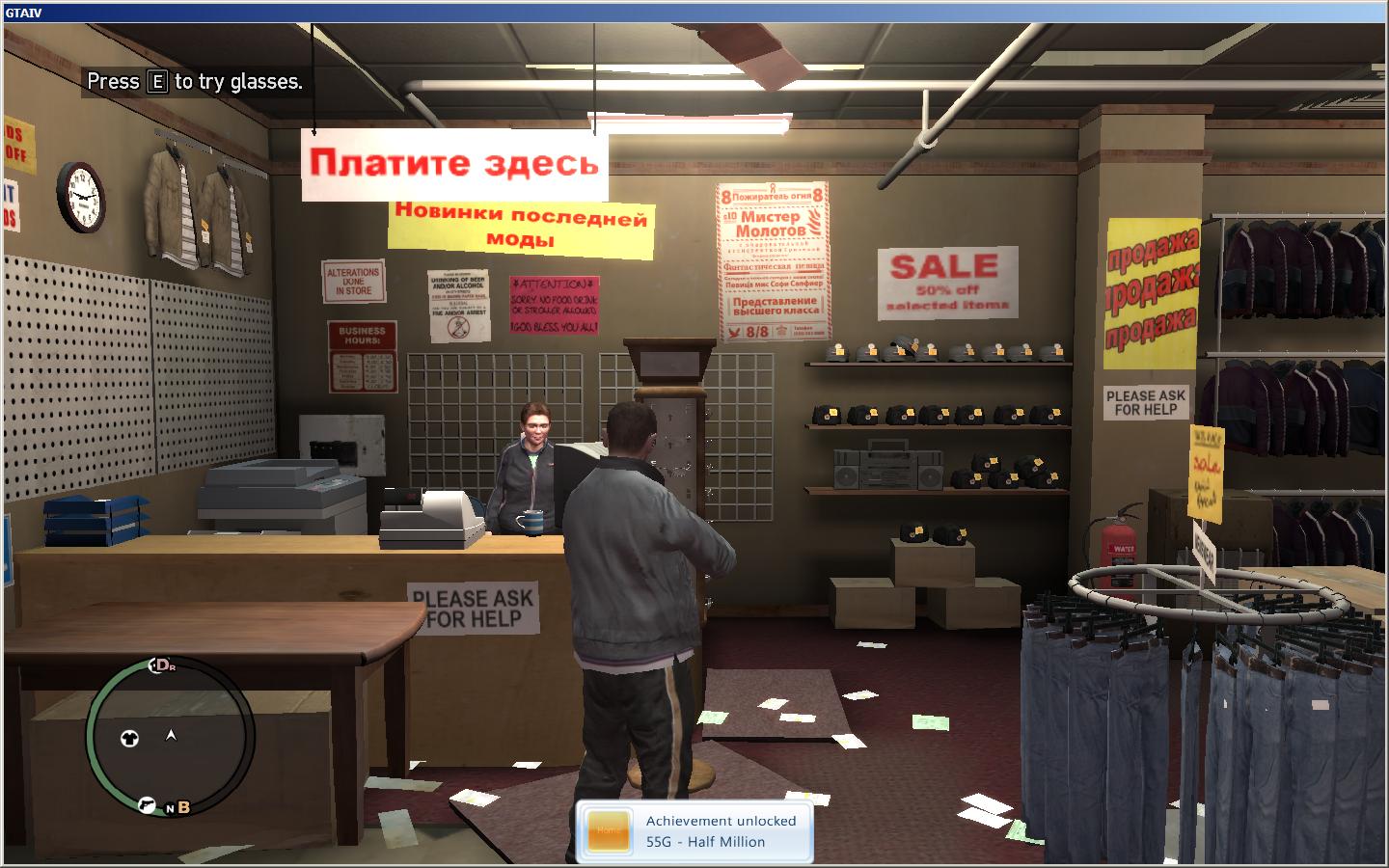
(shortly after purchasing a fancy hat with my new money in a relatively new game)
I picked up a copy of Titan Quest + Titan Quest: Immortal Throne on the current Steam weekend deal, only to find that I couldn’t attempt to refresh the games list for internet games without getting a nice exception dialog.
Assertion failed!Program: ...ps\common\titan quest immortal throne\Tqit.exe

File: .\common\gsPlatformSocket.c

Line: 236Expression: theSocket != INVALID_SOCKET
I researched this to find that it seems to be a common issue on Vista SP1, someone had suspected that Titan Quest was creating a raw socket for some reason. That is in fact what it’s doing. Since I am not running the game in administrator mode, the socket creation fails.
Since I don’t really like the idea of running Steam and TQ:IT in administrator mode, I looked for a better fix.
It makes a call to socket(AF_INET, SOCK_RAW, IPPROTO_ICMP) in Engine.dll. I modified Engine.dll to make it call socket(AF_INET, SOCK_DGRAM, IPPROTO_TCP) instead. I suspect this breaks the ping display in the game list now, but it appears to run just fine now without any exceptions.
It’s a two byte fix for Engine.dll, assuming the latest version of Engine.dll for TQ:IT on Steam now (md5 of cf00e85ff32629e4ad7859765722517b), you will want to change offset 0x164A0F to 0x11 (from 0x01), and offset 0x164A11 to 0x02 (from 0x03).
And I’ve updated the Steam Achievement Manager games list to remove the demo & add the full game.
A newer build of my VPK tool that now includes a UI. It also fixes handling of the ‘small data’ in the directory file that most *.vmt files were using instead of real files in one of the other package files. Please report any issues in comments, thanks. Edit: See this newer post for a newer build of tools.
Here are some test binaries for extracting data from the *.vpk packages recently seen in the Left4Dead demo. Edit: See this newer post for a newer build of tools.
To use:
I will probably get around to making a tool with a UI, but for now, this works. Source will also be provided pretty soon.
If any of you encounter any bugs please leave a comment here with information. This tool was tested with the most recent version of the Left4Dead demo, and may break with the full game files once it is out.
With a recent update to Steam, Steam Achievement Manager was broken again due to a change in the Steam API which requires a valid application ID in order to initialize the API. I’ve redone Steam Achievement Manager from scratch (well, reusing the older code in a new project) to reorganize it into a functional state again. There’s been a good amount of changes since 3.1, that include, but not limited to:
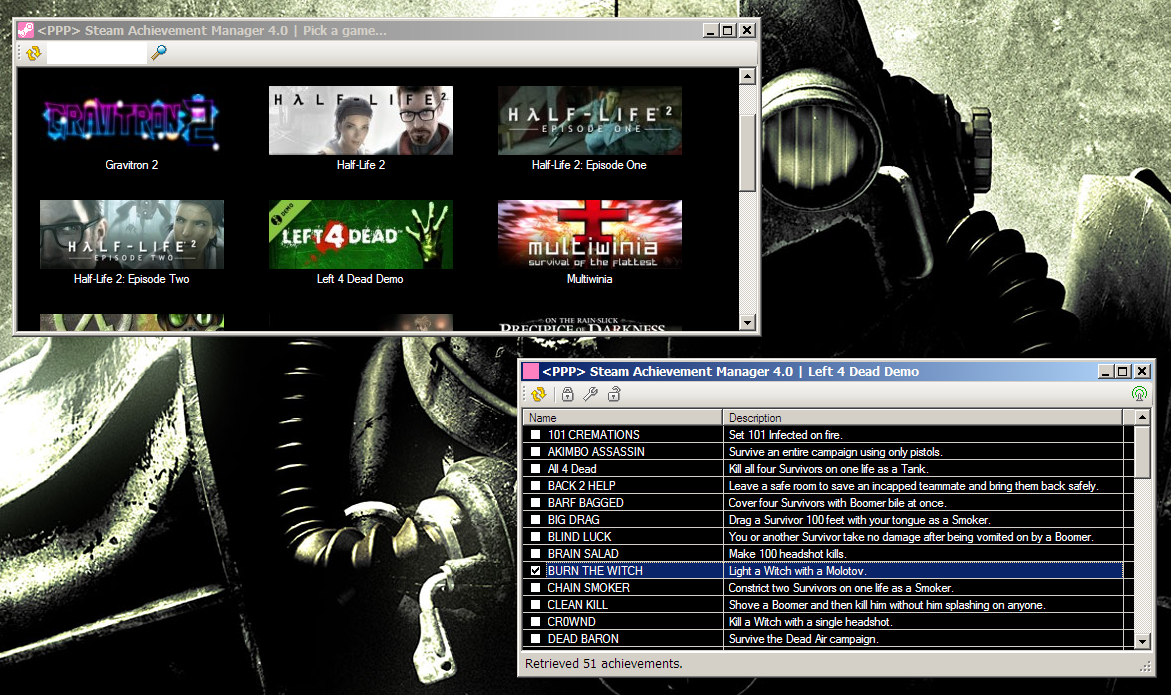
Lots of good changes. You can download the new version of Steam Achievement Manager on its page.
Also, new games listed as of 4.0:
The original list of functions was not 100% complete, this has been corrected.
I ported some code I originally wrote for Oblivion that dumps the available functions and their arguments to work with Fallout 3. Here is the result.
Found something useful? Like the stuff I've made? Think I'm awesome? Want to support me by giving me money for some reason?

By supporting me you'll ensure that I can continue developing interesting stuff.